The car insurance premium calculator Excel sheet is one of the most useful tools available if you want to precisely determine your premium before purchasing or renewing a policy. An Excel model allows you to simulate many situations, such as changing the IDV, adjusting your NCB, adding or removing riders, and quickly seeing how your annual premium varies, in contrast to internet calculators that only provide one result.
This post leads you through creating your own sheet from scratch, explains how Indian motor insurance premiums are determined, and gives a real-world example using a car worth ₹8,00,000. This resource will assist you in comprehending the precise figures underlying your insurance, regardless of whether you are a fleet manager or a first-time buyer.
For quick online estimates alongside your Excel model, you can also calculate your car insurance premium accurately using an online tool before diving into the offline version.
What Is a Car Insurance Premium Calculator Excel Sheet?
A car insurance premium calculator Excel sheet is a spreadsheet model that replicates the actuarial and regulatory logic used by Indian insurers to arrive at the final motor insurance premium. It typically contains input fields for vehicle details, automated IDV calculation, own-damage (OD) premium computation, third-party (TP) premium lookup, NCB deduction, add-on costs, and GST.
People prefer Excel over online tools for several reasons:
- Offline access: No internet required; useful in areas with poor connectivity.
- Customisation: Adjust any variable — engine cc, city zone, age of vehicle — without being locked into a website’s fixed fields.
- Reusable model: Save one file and use it every renewal cycle for multiple vehicles.
- Premium simulation: Compare how different NCB slabs or add-ons affect the total outgo before finalising a policy.
- Audit trail: Keep a record of year-on-year premium trends for budgeting.
How Car Insurance Premium Is Calculated in India
The Insurance Regulatory and Development Authority of India (IRDAI) governs motor insurance pricing under the Motor Vehicles Act. The total premium has two mandatory components and several optional ones.
1. Insured Declared Value (IDV)
IDV is the market value of the vehicle minus depreciation. It is the maximum amount the insurer will pay in case of total loss or theft. The formula is:
IDV = (Manufacturer’s Listed Price – Depreciation) + Value of Fitted Accessories
IRDAI prescribes a standard depreciation schedule based on vehicle age:
IDV Depreciation Rate Table (IRDAI Standard)
| Vehicle Age | Depreciation Rate | Example (₹8,00,000 car) |
| Up to 6 months | 5% | ₹7,60,000 |
| 6 months – 1 year | 15% | ₹6,80,000 |
| 1–2 years | 20% | ₹6,40,000 |
| 2–3 years | 30% | ₹5,60,000 |
| 3–4 years | 40% | ₹4,80,000 |
| 4–5 years | 50% | ₹4,00,000 |
2. Own Damage (OD) Premium
The OD premium covers damage to your own vehicle from accidents, fire, flood, or theft. Insurers use a percentage rate applied to IDV. Rates typically range from 2% to 3.5% depending on the insurer, vehicle type, and engine capacity.
OD Premium = IDV × OD Rate%
3. Third-Party (TP) Premium
Third-party premium is fully regulated by IRDAI and changes each year. It is not based on IDV but on the vehicle’s engine cubic capacity (cc). You can refer to the IRDAI official website (www.irdai.gov.in) for the latest TP premium slab applicable to the current policy year.
Example TP slabs for private cars (indicative for reference):
- Up to 1000cc: ₹2,094 per year
- 1000–1500cc: ₹3,416 per year
- Above 1500cc: ₹7,897 per year
4. No Claim Bonus (NCB)
NCB is a discount on OD premium awarded for each claim-free year. It accumulates up to 50% over five consecutive claim-free years:
- 1st year: 20%
- 2nd year: 25%
- 3rd year: 35%
- 4th year: 45%
- 5th year and beyond: 50%
OD After NCB = OD Premium × (1 – NCB%)
5. Add-Ons
Common add-ons include Zero Depreciation, Engine Protection, Roadside Assistance, Return to Invoice, and Consumables Cover. Each add-on is a fixed or percentage charge added after NCB deduction.
6. GST at 18%
The Motor Vehicles Act requires GST at 18% on the total premium (OD after NCB + TP + add-ons). This is mandatory and uniform across all insurers.
GST = (OD After NCB + TP + Add-ons) × 18%
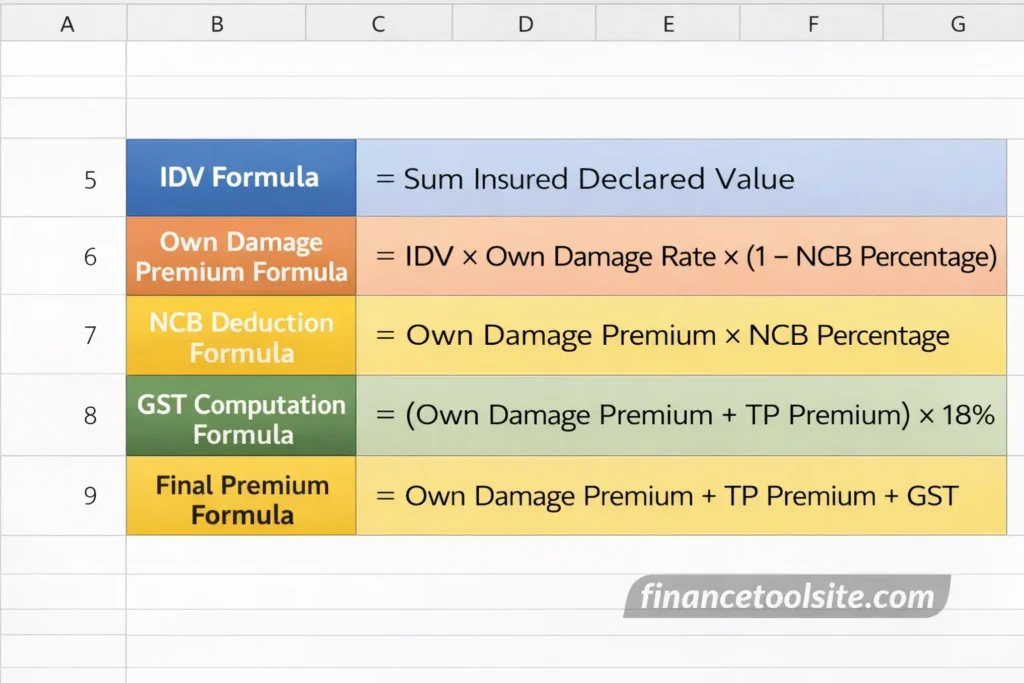
Car Insurance Premium Calculation Formula in Excel
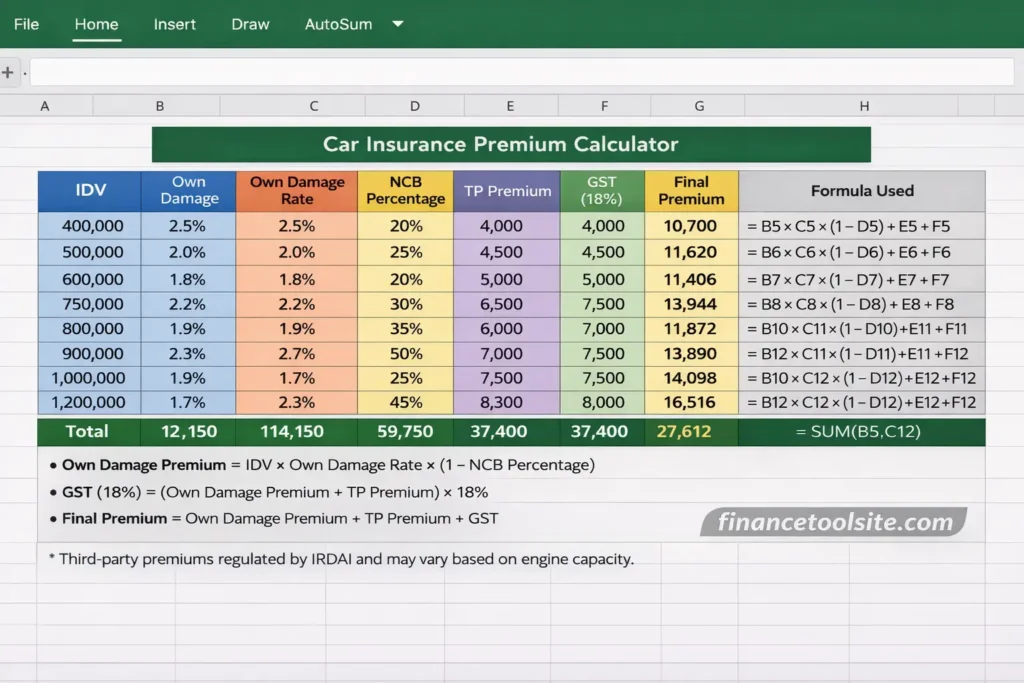
Below is the complete set of Excel formulas for each row of your calculator:
Excel Formula Reference Table
| Field | Excel Formula | Description |
| IDV | =B3*(1-B5) | Ex-showroom price × (1 – depreciation%) |
| OD Premium | =IDV*OD_Rate | IDV × own damage rate (e.g. 3%) |
| OD After NCB | =OD_Premium*(1-NCB_Pct) | OD × (1 – NCB%) e.g. 25% |
| Subtotal | =OD_After_NCB+TP_Premium+Addons | Net premium before GST |
| GST (18%) | =Subtotal*0.18 | 18% on entire net premium |
| Final Premium | =Subtotal+GST | Total payable amount |
Step-by-Step Guide to Build a Car Insurance Premium Calculator Excel Sheet
Follow these seven steps to create your own reusable motor insurance premium sheet:
- Create a Vehicle Details Section – Set up input cells for ex-showroom price (B3), vehicle age (B4), depreciation percentage (B5), engine cc (B6), zone (B7), and NCB slab (B8).
- Apply Depreciation to Calculate IDV – In cell B10, enter: =B3*(1-B5). This gives you the Insured Declared Value.
- Add Own Damage Premium Rate – In cell B11, enter the OD rate as a decimal (e.g., 0.03 for 3%). In B12: =B10*B11.
- Deduct NCB – In cell B13: =B12*(1-B8). Ensure B8 holds the NCB fraction (e.g., 0.25 for 25%).
- Add Third-Party Premium – In cell B14, manually enter the IRDAI-prescribed TP premium for the engine cc slab.
- Add Optional Add-Ons – In cell B15, enter the total cost of any add-ons like zero depreciation or engine cover.
- Calculate GST and Final Premium – In B16: =SUM(B13:B15)*0.18. In B17 (Final Premium): =SUM(B13:B16).
Recommended Column Structure
| Cell | Label | Input / Formula |
| B3 | Ex-Showroom Price (₹) | Manual Input |
| B4 | Vehicle Age (Years) | Manual Input |
| B5 | Depreciation Rate | VLOOKUP from depreciation table |
| B10 | IDV | =B3*(1-B5) |
| B11 | OD Rate | Manual Input (e.g. 0.03) |
| B12 | OD Premium | =B10*B11 |
| B13 | OD After NCB | =B12*(1-B8) |
| B14 | TP Premium (IRDAI Fixed) | Manual Lookup & Input |
| B15 | Add-Ons Total | Manual Input |
| B16 | GST (18%) | =SUM(B13:B15)*0.18 |
| B17 | Final Premium Payable (₹) | =SUM(B13:B16) |
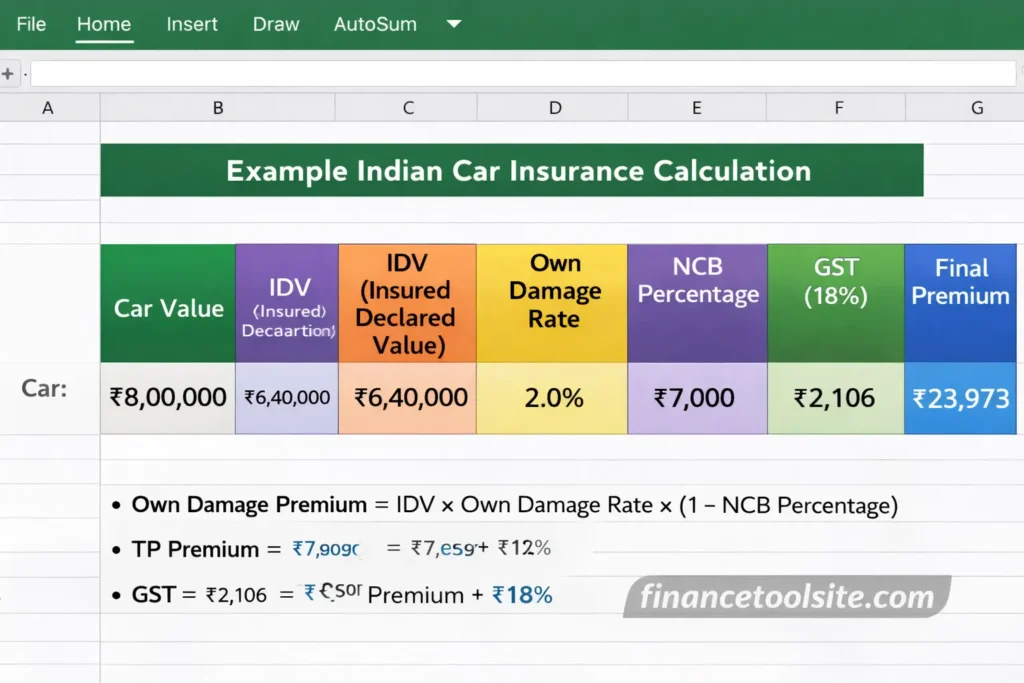
Real Example: Indian Car Case Study (2026)
Let us walk through a real calculation using a 2-year-old car originally priced at ₹8,00,000 with a 1200cc petrol engine and 2 claim-free years (25% NCB).
Sample Premium Calculation – ₹8,00,000 Car
| Component | Value (₹) |
| Ex-Showroom Price | ₹8,00,000 |
| Depreciation (20% for 1–2 yr) | ₹1,60,000 |
| IDV | ₹6,40,000 |
| OD Premium (3% of IDV) | ₹19,200 |
| NCB Deduction (25%) | –₹4,800 |
| OD After NCB | ₹14,400 |
| TP Premium (1000–1500cc, IRDAI) | ₹3,416 |
| Add-Ons (Zero Dep + RSA) | ₹2,500 |
| Subtotal Before GST | ₹20,316 |
| GST @ 18% | ₹3,657 |
| Final Premium Payable | ₹23,973 |
Note: Insurers such as SBI General Insurance (www.sbigeneral.in) may apply additional rating factors including geographic zone, anti-theft device discounts, or voluntary deductibles, which can slightly alter the final figure from this model.
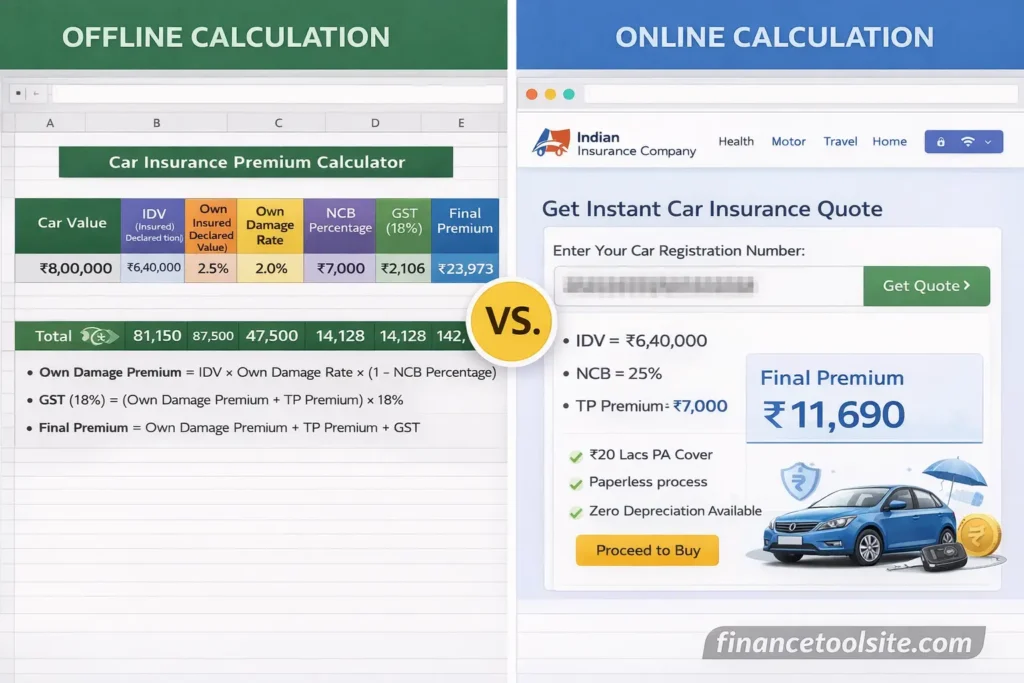
Online Calculator vs Excel Calculator: Which Should You Use?
| Feature | Excel Calculator | Online Insurance Website |
| Internet Required | No | Yes |
| Customisation | Full control | Limited to preset fields |
| Formula Transparency | Visible and editable | Hidden in back-end |
| Multi-Vehicle Compare | Easy via multiple tabs | One at a time |
| Policy Purchase | Not possible | Direct purchase available |
| Real-Time TP Rates | Must update manually | Auto-updated by insurer |
| Best For | Planning, budgeting, auditing | Final quote and purchase |
For a complete financial overview, you can also align insurance costs with your monthly budgeting strategy using a money management calculator to see the full picture of your annual outgoings.
Benefits of Using an Excel Premium Calculator
- Total cost visibility: See how IDV, NCB, and add-ons interact in real time.
- Historical comparison: Track yearly car insurance cost in India across multiple policy years.
- Fleet management: Duplicate the sheet for each vehicle in your household or small business.
- Scenario planning: Simulate the impact of claiming versus protecting your NCB before deciding.
- Insurer comparison: Input quotes from multiple insurers and compare apples to apples.
Limitations to Keep in Mind
- TP premium slabs change annually: Always verify the current IRDAI slab before filling in cell B14.
- Insurer-specific surcharges: Private insurers may add geographical surcharges or anti-theft discounts not captured in a generic model.
- Add-on pricing varies: Zero Depreciation cover pricing differs significantly across insurers and must be sourced from quotes.
- No purchase functionality: The Excel sheet is for estimation only. You must go through a licensed insurer or broker to purchase the policy under the Motor Vehicles Act, 1988.
Commercial vehicle owners operating fleets or taxis should note that commercial vehicle owners may require separate coverage calculation since goods-carrying and passenger-carrying vehicles have distinct TP and OD rating structures under IRDAI regulations.
When to Use an Online Calculator Instead
While the Excel model is excellent for planning and simulation, use an online calculator when you are ready to purchase, want real-time TP rates, or need a quote that incorporates insurer-specific No Claim Bonus Transfer rules. It is also worth noting that health insurance costs are often estimated using a similar actuarial approach — if you want to plan for your family’s coverage too, see how health premiums are estimated using a dedicated calculator.
For a broader suite of financial planning tools, explore more insurance calculation tools covering motor, health, term life, and business coverage in one place.
Frequently Asked Questions
1. Where can I get a car insurance premium calculator Excel free download?
Several Indian financial planning websites offer free downloadable motor insurance Excel templates. Look for sheets that include IDV depreciation lookup tables, editable OD rates, IRDAI TP premium slabs, NCB dropdown selectors, and auto-calculated GST rows. Always verify the TP slab is updated for the current IRDAI circular before use.
2. How do I use a car insurance premium calculator Excel India-specific sheet?
Enter the ex-showroom price, vehicle age, engine cc, and current NCB slab. The sheet will auto-compute IDV using the IRDAI depreciation table, calculate OD and apply your NCB, add the fixed TP premium for your engine size, include your chosen add-ons, and apply 18% GST to give you an estimated final premium figure.
3. Is there a vehicle insurance premium calculator download for all vehicle types?
Most freely available Excel calculators are designed for private cars. Two-wheelers and commercial vehicles have different OD rate bands and TP slabs. For commercial vehicles, a separate sheet or a more advanced model with vehicle-type dropdowns is recommended to avoid using incorrect rate tables.
4. Can I use a car insurance premium calculator Excel for SBI General Insurance?
Yes. The underlying formula structure — IDV, OD, NCB, TP, add-ons, GST — is standard across all IRDAI-licensed insurers including SBI General. You can plug in SBI General’s quoted OD rate and add-on pricing into the same Excel model to verify or compare their premium before purchasing.
5. What is the yearly car insurance cost in India for a mid-range car?
For a private car priced between ₹6–10 lakh, the annual comprehensive premium typically falls in the range of ₹18,000–₹30,000 depending on vehicle age, engine cc, city, NCB accumulated, and chosen add-ons. A 2-year-old car with 25% NCB and zero depreciation cover usually lands around ₹22,000–₹26,000 including GST.
6. What is the car insurance premium calculator Excel 2026 update I need?
For the 2026 policy year, ensure your Excel sheet reflects the latest IRDAI third-party premium circular (issued each April). The OD rates may also have shifted for certain vehicle categories. Check the IRDAI official website (www.irdai.gov.in) for the most recent TP premium table and update cell B14 accordingly before each renewal.
7. Is there a car insurance price list PDF from IRDAI?
IRDAI does not publish a comprehensive car insurance price list PDF. However, it releases Motor Third-Party Premium Rate circulars each year, which are available on www.irdai.gov.in. These circulars list mandatory TP rates by vehicle type and engine capacity. OD rates are not regulated and differ by insurer.
8. How accurate is an Excel-based IDV calculation in Excel?
Excel-based IDV calculation is very accurate when the depreciation rate table is up to date and the correct ex-showroom price is entered. Minor deviations may arise if the insurer uses a slightly different base price or applies a geographic adjustment. Treat the Excel figure as a close estimate and cross-check with the insurer’s final IDV confirmation during the policy issuance process.
Disclaimer: This article is for informational purposes only and does not constitute financial advice. Premium figures used in examples are illustrative and based on publicly available IRDAI data. Actual premiums may vary by insurer, geographic zone, vehicle specifications, and policy year. Always consult a licensed insurance advisor or IRDAI-registered insurer for a binding quote.