Tata AIA Life Insurance Premium Payment Online: Complete Step-by-Step Guide
Staying current on your life insurance premium is one of the most important financial responsibilities you can have. Whether you are a new policyholder or a long-term customer, completing your Tata AIA life insurance premium payment online takes only a few minutes — and you can do it from your phone, laptop, or tablet at any time of day. Choosing the official Tata AIA life insurance premium payment online method ensures your policy remains active without any late penalties.
This guide covers every method available for Tata AIA life insurance premium payment online: paying with or without login, using your policy number, credit card, UPI, net banking, and the Tata AIA mobile app. You will also find instructions for checking payment status, downloading your premium receipt, and handling common errors.
Table of Contents
What Is Tata AIA Life Insurance Premium Payment?
Tata AIA Life Insurance is a joint venture between Tata Sons and AIA Group, one of Asia’s largest insurance companies. As a policyholder, you are required to pay periodic premiums — monthly, quarterly, half-yearly, or annually — to keep your policy active.
The Tata AIA life insurance premium payment system is fully digital. You can pay online through the official customer portal, the mobile app, or even through third-party UPI apps and net banking. All online transactions are secured under IRDAI-regulated protocols, and the Insurance Regulatory and Development Authority of India (IRDAI) mandates that insurers provide accessible digital payment channels.
How to Pay Tata AIA Life Insurance Premium Online (With Login)
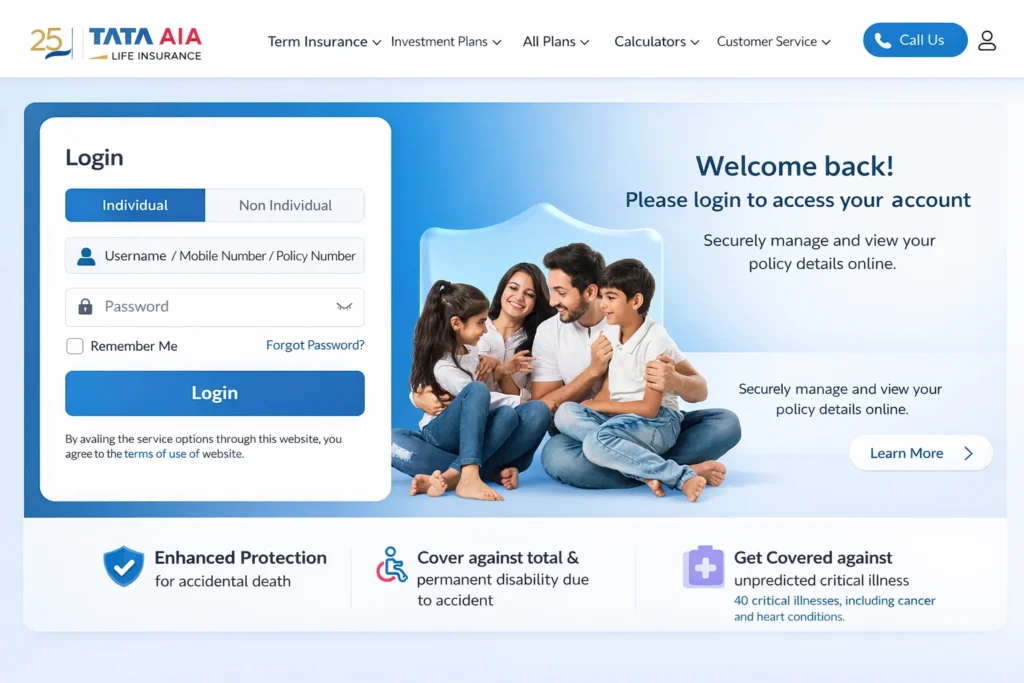
Step 1. Go to the official Tata AIA website: www.tataaia.com
Step 2. Click on “Customer Login” in the top right corner.
Step 3. Enter your registered mobile number or email ID and your password.
Step 4. Once logged in, navigate to “My Policies” and select the policy for which you want to pay.
Step 5. Click “Pay Premium.” The outstanding premium amount will be displayed automatically.
Step 6. Choose your payment method: credit card, debit card, UPI, or net banking.
Step 7. Complete the payment and save or download the confirmation receipt.
Quick Summary: Log in at tataaia.com → My Policies → Pay Premium → Choose payment method → Confirm payment → Download receipt.
Tata AIA Life Insurance Premium Payment Online Without Login
If you do not remember your login credentials or prefer a quicker process, you can make a Tata AIA life insurance premium payment online without login.
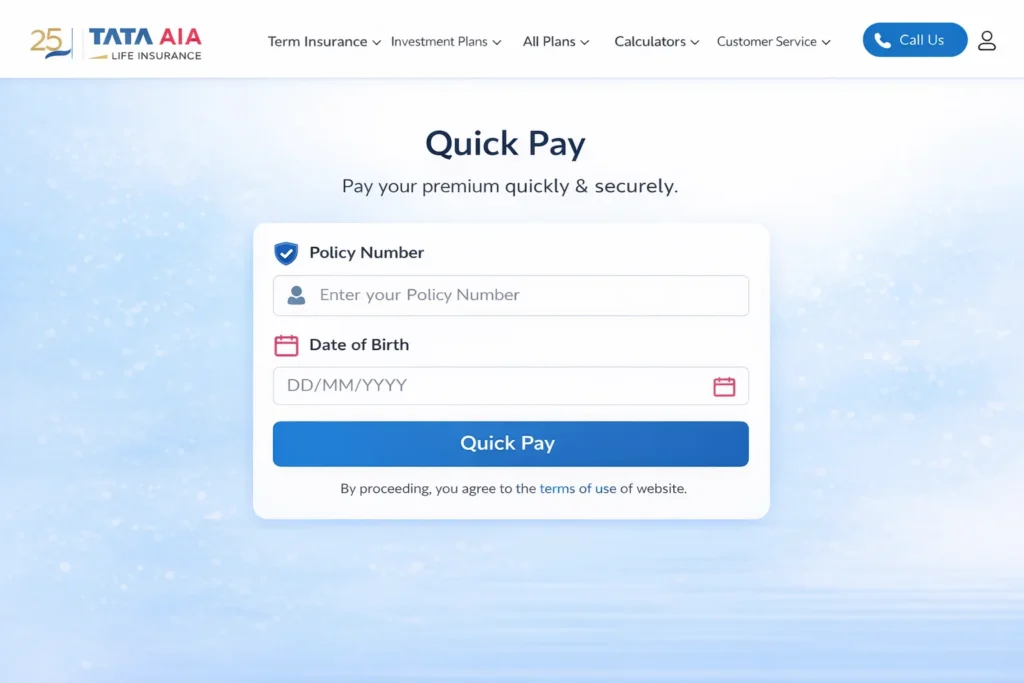
Step 1. Visit www.tataaia.com and look for the “Quick Pay” or “Pay Without Login” option on the homepage.
Step 2. Enter your policy number and your registered date of birth.
Step 3. The portal will retrieve your policy details and the premium due.
Step 4. Confirm the amount and proceed to payment.
Step 5. Choose your preferred payment mode and complete the transaction.
This option is particularly useful when you are in a hurry or accessing the portal from a shared device.
Tata AIA Premium Payment Online by Policy Number
Tata AIA premium payment online by policy number is one of the most searched methods because it does not require you to remember your login ID.
On the Quick Pay screen, simply enter:
- Your policy number (found on your policy document or welcome letter)
- Your date of birth or registered mobile number for verification
The system will authenticate your identity and show the due premium. This method works for both single and multiple policy holders.
How to Pay via Credit Card, Debit Card, UPI, and Net Banking
Once you reach the payment page (via login or quick pay), you can choose from the following options:
Credit Card: Tata AIA accepts Visa, Mastercard, and RuPay credit cards. Enter your card number, expiry date, and CVV. An OTP will be sent to your registered number for verification.
Debit Card: The process is identical to credit card payment. Ensure your card is enabled for online transactions.
UPI: Select UPI and enter your UPI ID (for example, yourname@upi). You will receive a payment request on your UPI app. Approve it to complete the transaction.
Net Banking: Select your bank from the list of supported banks. You will be redirected to your bank’s login page. Log in and authorize the transfer.
All transactions are processed in real time, and you should receive a confirmation within seconds. For RBI guidelines on digital payments, you can refer to the Reserve Bank of India’s digital payment framework.
Tata AIA Premium Payment Through the Mobile App
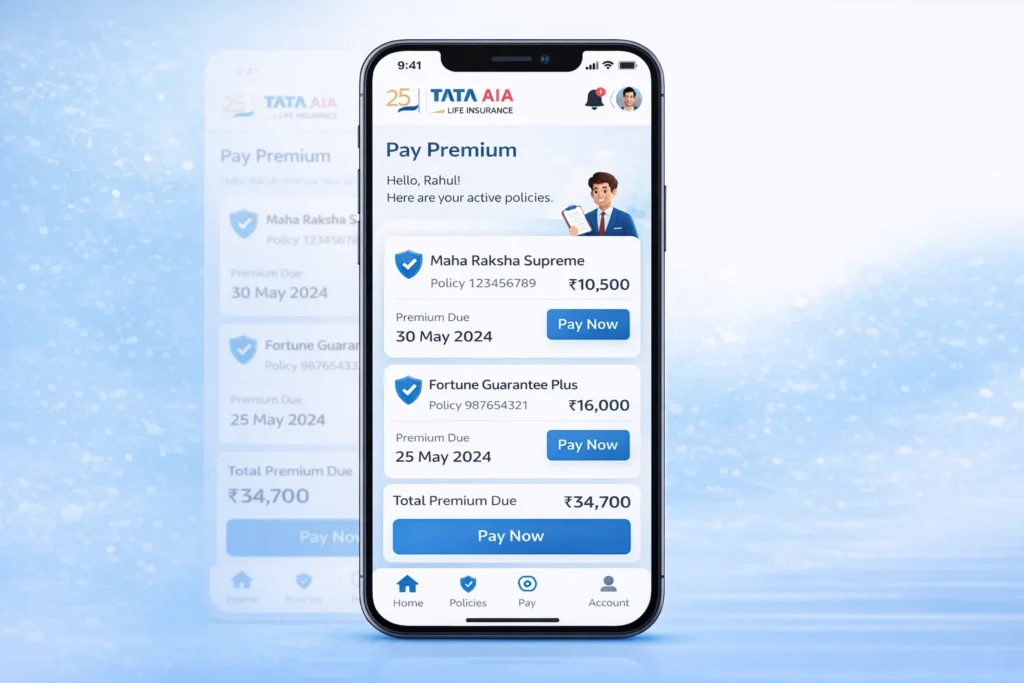
The Tata AIA online premium payment app is available on both Google Play Store and Apple App Store under the name “Tata AIA Life Insurance.”
Step 1. Download and install the app.
Step 2. Log in with your registered credentials or set up a new account.
Step 3. On the home screen, tap “My Policies.”
Step 4. Select the policy you want to pay for.
Step 5. Tap “Pay Premium,” review the amount, and select your payment method.
Step 6. Complete the transaction using UPI, card, or net banking.
The app also allows you to set payment reminders so you never miss a due date.
Website vs. App: Which Is Better for Paying Premium?
| Feature | Website (Desktop/Mobile Browser) | Tata AIA Mobile App |
|---|---|---|
| Login Required | Optional (Quick Pay available) | Yes |
| Pay by Policy Number | Yes | Yes |
| UPI Payment | Yes | Yes |
| Credit / Debit Card | Yes | Yes |
| Net Banking | Yes | Yes |
| Premium Receipt Download | Yes | Yes |
| Payment Reminders | No | Yes |
| Ease of Use | Moderate | High |
| Best For | One-time or quick payments | Regular policyholders |
How to Check Tata AIA Life Insurance Online Payment Status
If your payment was deducted but you did not receive a confirmation, follow these steps to check Tata AIA life insurance online payment status:
Step 1. Log in to your account on tataaia.com or the app.
Step 2. Go to “My Policies” and select the relevant policy.
Step 3. Click on “Payment History” or “Transaction History.”
Step 4. The latest payment status will be shown as Successful, Pending, or Failed.
If the status shows “Pending” for more than 24 hours and the amount was debited from your account, contact Tata AIA customer support at 1860-266-9966 with your transaction reference number.
How to Download Tata AIA Premium Receipt PDF
Tata AIA premium receipt download PDF is a straightforward process and useful for tax purposes under Section 80C.
Step 1. Log in to tataaia.com.
Step 2. Navigate to “My Policies” → “Payment History.”
Step 3. Find the relevant transaction and click “Download Receipt” or “View Receipt.”
Step 4. The receipt will open as a PDF. Save it to your device.
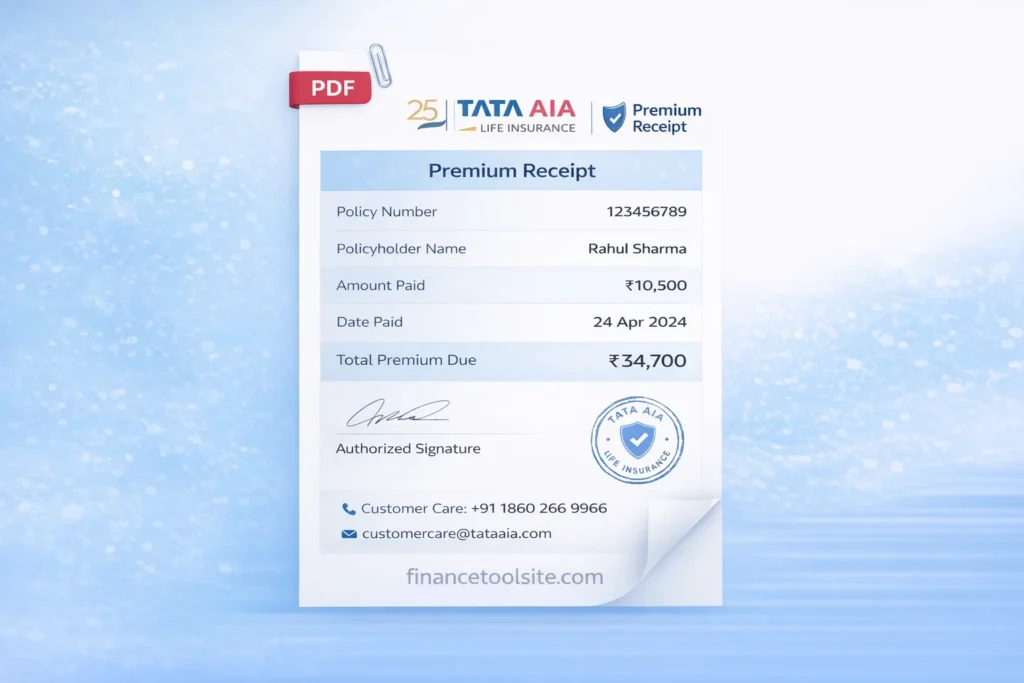
You can also request a receipt via email by contacting Tata AIA customer care. Receipts are generally available within 24–48 hours of a successful transaction and can be used as proof of payment for income tax filing.
Common Payment Errors and Solutions
Error: Payment failed but amount was deducted In most cases, the amount is automatically reversed within 5–7 working days. If not, raise a complaint with Tata AIA or your bank with the transaction ID.
Error: Policy number not found Double-check the policy number on your original policy document. Avoid spaces or special characters when entering it.
Error: OTP not received Ensure your registered mobile number is active. If not, update it by visiting a Tata AIA branch or through the customer care helpline.
Error: Session timeout during payment Clear your browser cache, disable pop-up blockers, and try again. Use a stable internet connection.
Error: UPI payment declined Check your UPI app for daily transaction limits. If the limit is exceeded, use net banking or a card instead.
Benefits of Paying Tata AIA Premium Online
Paying online offers several practical advantages over cheque or cash payments:
Instant confirmation means your policy status is updated immediately upon successful payment. There is no need to visit a branch or agent, saving you time and travel costs. Multiple payment options give you the flexibility to use whichever method is most convenient. You can pay 24 hours a day, 7 days a week. Digital receipts are automatically generated and easy to retrieve for tax purposes. Auto-pay or standing instruction options can be set up to ensure your premium is never missed.
Late Payment Consequences and Grace Period
Missing a premium due date does not immediately lapse your policy. Tata AIA provides a grace period — typically 30 days for monthly premium policies and 30 days for annual policies — during which you can complete your Tata AIA life insurance premium payment online or make the Tata AIA life insurance renewal payment without any penalty.
If you miss the grace period, your policy may lapse. However, most policies can be revived within a defined revival period (usually two to five years) by paying all outstanding premiums along with applicable interest. In many cases, you can also restore your coverage by using the official Tata AIA life insurance premium payment online portal for a quick and secure transaction.
It is always advisable to use the app’s reminder feature or set a calendar alert to avoid missing due dates. You may also want to calculate your life insurance premium in advance when planning annual or long-term premium payments to ensure you are budgeting correctly.
Frequently Asked Questions
Q1: Can I make a Tata AIA life insurance premium payment online without login?
Yes. Use the “Quick Pay” option on tataaia.com. You only need your policy number and date of birth — no account login is required.
Q2: How do I complete a Tata AIA life insurance premium payment online login?
Visit tataaia.com and click “Customer Login.” Enter your registered email or mobile number and password. After logging in, go to “My Policies” and select “Pay Premium.”
Q3: Can I do a Tata AIA premium payment online by policy number?
Yes. On the Quick Pay screen, enter your policy number and registered date of birth. Your premium amount will be fetched automatically.
Q4: Is there a Tata AIA online premium payment app?
Yes. The app is called “Tata AIA Life Insurance” and is available on the Google Play Store and Apple App Store. It supports UPI, card, and net banking payments.
Q5: How do I check my Tata AIA Life Insurance online payment status?
Log in to tataaia.com or the app, go to “My Policies,” and check “Payment History” for the transaction status.
Q6: How can I get my Tata AIA online payment receipt?
Log in to tataaia.com, go to Payment History, find your transaction, and click “Download Receipt” to save it as a PDF.
Q7: Does Tata AIA accept credit card payments for premiums?
Yes. Tata AIA premium payment by credit card is supported. Visa, Mastercard, and RuPay credit cards are accepted on both the website and the app.
Q8: How do I download my Tata AIA premium receipt PDF for tax purposes?
Log in to your account, go to Payment History, and select the transaction. Click “Download Receipt” to get a PDF you can use for Section 80C claims.
Conclusion
Managing your Tata AIA life insurance premium payment online has never been easier. Whether you prefer logging in through the portal, using the Quick Pay feature by policy number, or paying through the mobile app, Tata AIA provides a secure and straightforward process. Staying on top of your premium schedule ensures your policy remains active and your family stays protected.
If you have not already done so, download the Tata AIA app, register your account, and set up a payment reminder today. For more information, visit the official Tata AIA Life Insurance website.
Disclaimer: This article is for informational purposes only and does not constitute financial advice. Always verify details on the official Tata AIA website or consult a licensed insurance advisor.